Applies to: Policyserver
This article provides step-by-step instructions on how to stop and start Docker containers running Seclore services on Linux servers.
Prerequisites
- Access to the Linux server hosting Seclore
- Sufficient privileges (root or sudo access)
A. Stopping Docker Containers
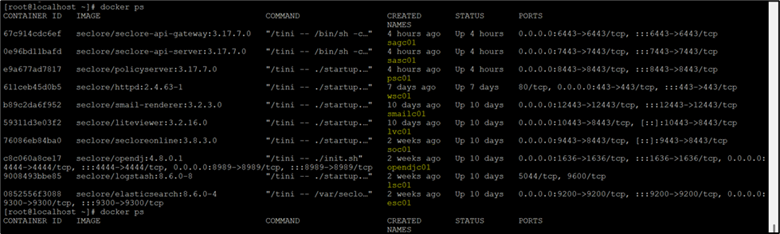
Step 1: List Running Containers
To view all currently running Docker containers on the server, run the following command:
docker ps
This command will display a list of active containers along with their container names and IDs.
Step 2: Stop Containers
To stop a specific running container, use the following command:
docker stop <container_name>
Example:
docker stop wsc01
B. Starting Docker Containers
Step 1: List All Containers (Including Stopped Ones)
To view all Docker containers, including those that are currently stopped (exited), run:
docker ps -a
This helps identify containers that are available but not running
Step 2: Start Containers
To start a Docker container that is currently stopped, run the following command:
docker start <container_name>
Example:
docker start wsc01
Notes :
Always verify container status after starting or stopping using:
docker ps
Need more help?
Contact Seclore Support  support@seclore.com