Applies to: Seclore Desktop Client (Seclore for Windows)
Overview
Seclore Desktop Client (DC) executables, DLLs, and supporting files must be added to the exception/exclusion list of any Antivirus (AV), DLP, EDR/XDR, or endpoint security solution installed on the user's machine. Failure to do so may result in file-opening failures, slowness, or unexpected application crashes.
When Are Exclusions Required?
Exclusions should be configured:
- Before deploying the Seclore Desktop Client across endpoints
- When any endpoint security solution (AV, DLP, EDR, XDR) is active on machines running the DC
- Following symptoms may occur due to the lack of exclusions:
- Slowness or hangs when opening protected files
- Microsoft Office applications (Word, Excel, PowerPoint) closing unexpectedly
- Seclore add-in errors
- Protected files failing to open with error pop-ups
Exclusion Paths:
Windows — Admin DC
- C:\Program Files (x86)\Seclore\FileSecure\Desktop Client\
- C:\Program Files\Seclore\FileSecure\Desktop Client\
- C:\ProgramData\Seclore\
- C:\Users\%username%\AppData\Roaming\Seclore\*
Windows — Adminless DC
- C:\Users\<username>\AppData\Local\Seclore\FileSecure\Desktop Client\
- C:\ProgramData\Seclore\
- C:\Users\%username%\AppData\Roaming\Seclore\*
Important:
- Excluding only the base installation directory may not be sufficient. The DC loads DLLs and plugins dynamically into Microsoft Office processes. Individual binaries must also be excluded.
- The list of individual binaries can be generated using the below command. This list of binaries can be shared with your internal IT/ AV team so that they can whitelist or apply exclusion to the given Seclore binaries.
- Generate the Exclusion File List:
Run the following command on a machine with the Seclore DC installed. This will generate a text file — List_of_files_tobe_excluded.txt — on your desktop with all required file paths: - cmd:
dir /S /A /B /D "%fsdccore%\"*.exe "%fsdccore%\"*.dll "%fsdccore%\"*.sys "%fsdccore%\"*.oxt >> "C:\Users\%username%\Desktop"\List_of_files_tobe_excluded.txt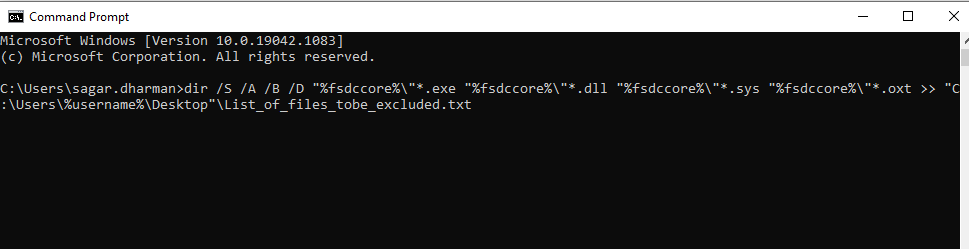
Need more help ?
Contact Seclore Support