Purpose
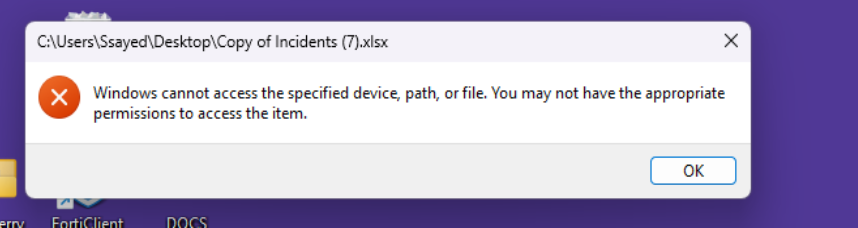
This article explains how to identify and resolve an error pop-up that appears when users try to open any file on Windows machines, regardless of whether the file is protected by Seclore.
Symptoms
- Error appears for most of the files, protected or unprotected.
- The pop-up prevents normal file access temporarily.
- The issue occurs intermittently across certain machines.
Root Cause
After internal investigation, it was determined that the error originates from TrendMicro antivirus endpoint protection:
- TrendMicro policies, specifically whitelisting policies, are not pushed to some machines.
- As a result, certain applications and files, including Seclore-related processes, are blocked or flagged, causing the error pop-up when opening any file.
- Machines with properly applied TrendMicro policies do not exhibit the issue.
Resolution
To resolve the issue:
- Push TrendMicro Whitelisting Policies
- Ensure the correct whitelisting policies are applied to all affected endpoints.
- Restart the Endpoint
- After policy update, restart the machine to ensure all changes take effect.
- Test File Access
- Open various files (protected and unprotected) to confirm that the error pop-up no longer appears.